
Are WordPress popup plugins the one magic ingredient you have been looking for?
Every website with relevant traffic, has huge potential to convert visitors into leads. These visitors landed on your website because they were interested in it. Offer something of real value to them and they will be happy to get on to your email list or buy what you are selling.
Isn’t that why they came to your website in the first place?
Table of Contents
Do popups work?
Yes, simply put, they do.
Sumo.com analysed 2 billion popups and came up with this

So you have an average of 3% conversion rate, provided of course, you get your popup right.
Implementing a popup is simple enough and we’ll get to that in a bit. But, what is not quite simple is, planning everything else around the popup, like, deciding what the popup should promote, when to display it, who should see it, and so on.
Choosing the best WordPress pop up plugin
There are a ton of popular WordPress popup plugins out there, to help create exit intent popups, opt-in popups and more. Choosing the right pop up plugin for WordPress though, requires wading through a bunch of marketing spiel, so we’ve simply knocked off the clutter and listed features here that are important enough to help you make a decision.
OptinMonster – Most popular WordPress pop up plugin
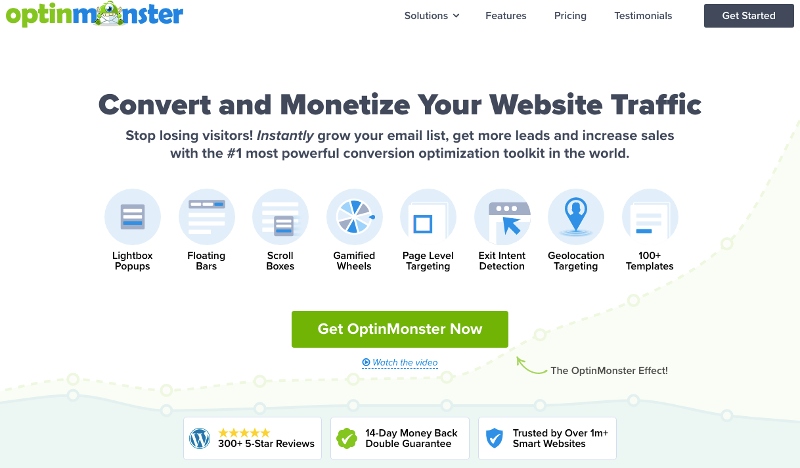
OptinMonster is easily the best pop up plugin for WordPress, when it comes to features and design. Yes, it is a little more expensive compared to others, but if you have relevant traffic on your website, that you would like to monetize, it is totally worth it.
OptinMonster – Pop up Design
- 100+ Ready to use editable templates
- Full Screen Splash
- Lightbox Popups
- Floating Bars
- Scroll Boxes
- Inline Forms
- Content Lock
- Gamified Wheels
- Countdown Timer
- Two-step popups ( first screen – yes/no)
OptinMonster – Behavior and Triggers
- Page Level Targeting
- Exit Intent Detection
- Geolocation Targeting
- Device-Based Popup Campaigns
- On click popups
- Time On Page Trigger
- After scroll trigger
- Inactivity Trigger
- Launch After Content
- User Targeting and Personalization
- Ecommerce Targeting: Based on cart, license / subscription , purchase data.
Age Verification Displays & Triggers- Display rules based on whether new / returning visitor / logged in user
OptinMonster – Unique Features
- Analytics and Insights (integration with Google Analytics)
- A/B Testing
- Integration with popular Email Software – MailChimp, AWeber, CampaignMonitor & more
- Ability to duplicate and copy popups
- Supports Custom CSS
- TruLead verification to filter out bot / spam emails
OptinMonster – Documentation & Training
Extensive Documentation and Tutorial Videos. You can also request a 30-minute demo for a detailed walk through. OptinMonster also offers a unique Done For You Service, meaning, the OptinMonster team will set up your first campaign, at no additional cost.
What we love / hate about OptinMonster
It is a little complex and can possibly be overwhelming for a novice or someone who needs just simple, basic popups.
However, the availability of detailed documentation, a 30-minute demo and the promise of a free DFY service – more than makes up for this complexity, to ensure that you have no trouble using this pop up plugin for WordPress. Also, the TruLead verification is an interesting, unique point that seems to be missing in other similar tools.
Is OptinMonster a free WordPress popup plugin?
OptinMonster does not have a free version. The free popup plugin that is available on WordPress.org needs you to have a paid OptinMonster account. Since OptinMonster is a SaaS tool, it is simply a plugin that helps you integrate OptinMonster on your WordPress website easily.
4.5 out of 5 stars based on 327 reviews. Over 1 million active websites.
OptinMonster – Plans and Pricing
- $108 / year or $19 / month for 1 site
- $228 / year or $39 / month for 2 sites
- $348 / year or $59 / month for 3 sites
- $588 / year or $99 / month for 5 sites
- Check out Yearly Plans , Monthly Plans
OptinMonster – Refund Policy
14-day Unconditional Money Back Guarantee
ConvertPlug WP pop up plugin
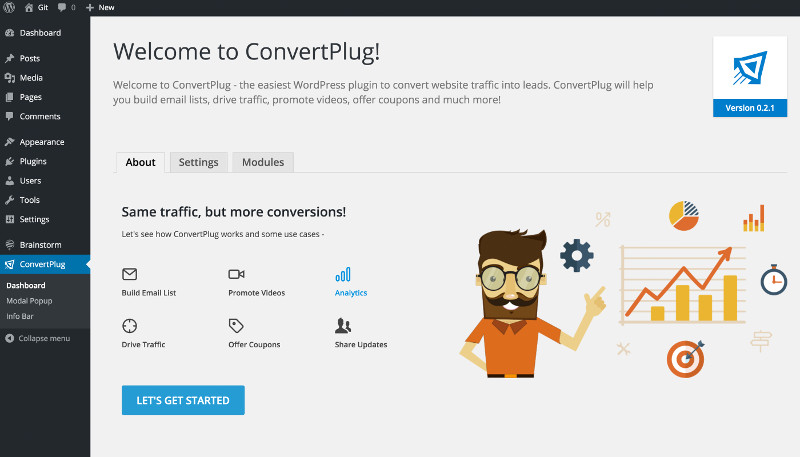
Is ConvertPlug a Free WordPress Popup Plugin?
Does not have a free version.
ConvertPlug – Popup Design
- 100+ Ready to use popup templates
- Full Screen Splash
- Lightbox Popups
- Floating Bars
- Scroll Boxes
- Inline Forms
Content LockGamified WheelsCountdown Timer- Two-step popups ( first screen – yes/no)
ConvertPlug – Behavior and Triggers
- Page Level Targeting
- Exit Intent Detection
- Geolocation Targeting
- Device-Based Popup Campaigns
- On click popups
- Time On Page Trigger
- After scroll trigger
- Inactivity Trigger
- Launch After Content
- User Targeting and Personalization
Ecommerce Targeting: Based on cart, license / subscription , purchase data- Display rules based on whether new / returning visitor / logged in user
- Age Verification Displays & Triggers
ConvertPlug – Unique Features
- Analytics and Insights (integration with Google Analytics)
- A/B Testing
- Integration with popular Email Software – MailChimp, AWeber, CampaignMonitor & more
- Ability to duplicate and copy popups – TBD
- Supports Custom CSS
TruLead verification to filter out bot / spam emails
ConvertPlug – Documentation & Training
Extensive Documentation and Tutorial Videos.
ConvertPlug – Plans and Pricing
- $23 on CodeCanyon
- 6 months support included, life time updates
ConvertPlug – Refund Policy
CodeCanyon relies on the plugin author to handle the refund request, which means there is no guarantee you can get a refund.
What we love / hate about ConvertPlug
ConvertPlug too doesn’t have a free version that you can try out. This pop up WordPress plugin is only sold via CodeCanyon, which doesn’t have a guaranteed refund policy. However, ConvertPlug is cheaper than OptinMonster and has most of the features offered by the latter.
IceGram – Premium and free WordPress popup plugin

IceGram – Plans and Pricing
- $97 / year for 1 site
- $147 / year for 1 site
- $249 Lifetime for 1 site
- Only the higher plan includes (advanced) features like geo-targeting, A/B testing etc.
IceGram – Refund Policy
30-day Refund policy – but there are a bunch of conditions that you should read through before buying, if this is important for you.
Is IceGram a Free Plugin for WordPress Popups?
Has a pretty good free version that is adequate for basic popups.
4.7 out of 5 stars based on 332 reviews. Over 40K active websites.
IceGram – Popup Design
- 100+ Ready to use popup templates
- Popups Modal / Non-modal
- Floating Action Bar
- Toast Notification
- Messenger
- Full screen Overlay
- Inline (Within Content) Embedded Form
- Tab
- Sidebar Widget
- Interstitial
- Ribbon bar
- StickyBadge
- Two-step pop ups ( first screen – yes/no)
IceGram – Behavior and Triggers
- Time based targeting
- Single page, two pages, site-wide or specific URL’s on the site
- Visitors based targeting – not logged in / logged in
- Geo / Location based targeting
- Exit Intent
- Time On Page or Site
- User Inactivity
- Scroll Position
- Custom JavaScript triggers
- Button Click
- Time Delay – auto hide x seconds after showing
- Sequence messages, hide this message when another message is displayed
IceGram – Unique Features
- Analytics and Insights
- A/B Split Testing
- Integration with popular Email Software – MailChimp, Constant Contact, AWeber, Campaign Monitor, GetResponse, InfusionSoft, and more
- Ability to duplicate and copy popups (need to verify)
- Supports Custom CSS
IceGram – Documentation & Training
Sufficient documentation. Couldn’t find any tutorial videos though.
What we love / hate about Icegram
The free version of this pop up WordPress plugin is quite generous and is enough for most starter sites.
PopupMaker – free & premium WordPress popup plugin

The features listed here are those that are available in the basic WP Popup maker plugin and all of its add ons / extensions put together. Before buying it, please check if your plan includes the extensions (features) you absolutely need.
PopupMaker – Plans and Pricing
- $87 / year for 1 site (includes only a few add-ons)
- $147 / year for 3 sites (includes only a few add-ons)
- $247 / year for 5 sites (includes all add-ons)
- Complete list of add-ons included in each plan
PopupMaker – Refund Policy
30-day 100% Money Back Guarantee
Is PopupMaker a Free WordPress Plugin Popup?
Free version on wp.org allows you to create simple popups, adequate to start with. 4.9 out of 5 stars based on 4155 reviews. Over 600K active websites.
PopupMaker – Popup Design
Slide In, Banner, Sticky Floating Bar, Notification, Loading Screen, Video Lightbox, Tooltip, and Opt-In Form
PopupMaker – Behavior and Triggers
- Page Level Targeting
- Exit Intent Detection
- Geolocation Targeting
- Device-Based Pop up Campaigns
- On click popups
- Time On Page Trigger
- After scroll trigger
- Inactivity Trigger
- Launch After Content
- User Targeting and Personalization
- Ecommerce Targeting: Based on cart, license / subscription , purchase data.
- Age Verification Displays & Triggers
- Display rules based on whether new / returning visitor / logged in user
PopupMaker – Unique Features
What’s in
- Analytics and Insights – integration with Google Analytics (you need the PopUp Analytics extension)
- Easy DD & Woo Commerce Integration
- Integration with popular Email Software – MailChimp, AWeber, CampaignMonitor & more
- Ability to duplicate and copy popups
- Supports Custom CSS
What’s missing
- A/B Testing
- TruLead verification to filter out bot / spam emails
PopupMaker – Documentation & Training
Adequate Documentation and Tutorial Videos.
What we love / hate about PopupMaker
Even if you want to create ‘advanced’ popups for only one site (for example, an exit intent popup), you are forced to opt for the highest plan at $247 / year, which seems a tad expensive compared to the other WP pop up plugins with a similar set of features.
Sumo – free and premium WP pop up plugin
Sumo – Popup Design
- 40+ Popup Templates
- Scroll box
- Inline Form
- Welcome Mat
- Floating bar -sticky / smart / static
Sumo – Behavior and Triggers
- Exit intent
- Click
- Time Delay
Sumo – Unique Features
- Analytics with Google Analytics or tracking pixels
- A/B Split Testing
- Integration with popular Email Software – MailChimp, Constant Contact, AWeber, Campaign Monitor, GetResponse, InfusionSoft, Emma, Feedblitz and more
- Ability to duplicate and copy popups
- Doesn’t seem to support custom CSS (need to verify)
Sumo- Documentation & Training
Adequate documentation
Sumo – Plans and Pricing
- $39 / month or $468 / year for 1 site
Sumo – Refund Policy
30-day Money back guarantee
Is Sumo a Free WordPress plugin for popups?
The free version is okay for starter sites, that are okay with the revenue cap of $500 generated by Sumo. The free version also doesn’t allow you to do A/B testing or advanced visitor targeting.
What we love / hate about Sumo
You can use the free version to take it for a spin and confirm the Sumo plugin is ideal for your use case. My guess though is, that if you are serious about collecting emails or getting your visitors to buy something, you will need the Pro version.
What can you use these WordPress popup plugins for?
- Create opt-in forms for email list building (give away an exclusive freebie)
- Set up exit intent windows to promote exclusive discount offers that are not be available elsewhere on your website
- Create gated content – Lock content and give access to it only after your visitor signs up for your newsletter or registers on your website
- Reduce cart abandonment by giving targeted offers and messages, based on cart content
FAQs about WordPress Pop Ups
What is a popup?
A popup is a (usually smaller) window that appears on top of the main browser window. It is typically used to attract the website visitor’s attention.
How do I create a popup on a WordPress website?
You can use WordPress popup plugins like Sumo, IceGram or a SaaS service like OptinMonster (it has a WordPress plugin to integrate with your WordPress website)
Is OptinMonster free?
OptinMonster does not have a free plan. You need to subscribe to a monthly or yearly plan, in order to use it on your WordPress website.
What is OptinMonster plugin?
OptinMonster has a ‘free’ WordPress plugin on wordpress.org, that works only when you have an active subscription for OptinMonster
When should pop ups be displayed?
The best events that you can use as a trigger to display popups usually are –
– A few seconds after a user lands on your page
– After a visitor scrolls down a certain percentage of your page
– When a visitor is about to exit your website or close a page
Nearly all the WordPress popup plugins listed above can help you set up a popup for WordPress websites with these triggers.
In Conclusion – Which is the best of all WordPress popup plugins?
There are many popular WordPress popup plugins that can help you create an exit popup. The one I recommend is OptinMonster, a SaaS tool for pop ups. OptinMonster can get a little overwhelming for beginners, because it has all the bells and whistles one could ever ask for from, well, an Optin Monster. However, you can simply choose to stick to a basic popup, ignore the rest of the features and delve into the complexities when you are ready for them.
If you are not keen on using OptinMonster, check out our comparison of some of the best WordPress plugins for pop ups and choose one that works for you. The most popular plugins have been compared here – OptinMonster Vs ConvertPlug Vs PopupMaker Vs IceGram Vs SumoMe.
Photo credits : Featured Image by mohamed Hassan from Pixabay
1 thought on “5 Best WordPress Popup Plugins that Actually Convert Visitors into Leads”